






Over the course of the last five years, automation has shifted from being a tech luxury to a business survival tool. From startups to large enterprises, workflow automation tools like Zapier have helped companies eliminate manual tasks, streamline operations and boost efficiency.
As businesses scale, however, many have realized the limitations of closed, subscription heavy platforms like Zapier and Make. Enter n8n, the open-source automation platform that is giving businesses control, flexibility and cost efficiency in a way Zapier simply cannot. The n8n migration from Zapier is not just about a tool change but also a strategic shift; one that signals maturity in how businesses view automation.
Zapier Issues: When Fast Becomes Limiting
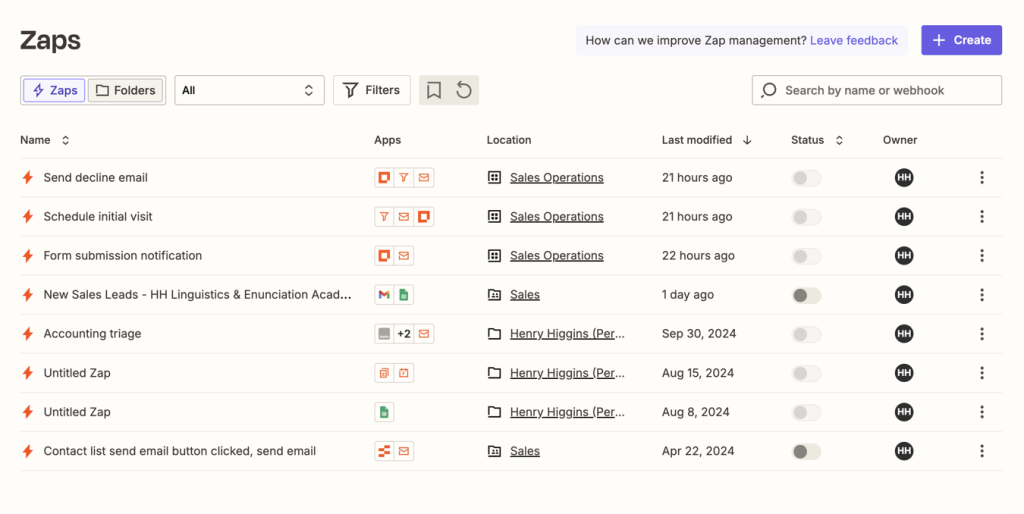
Zapier‘s strength lies in its simplicity and plug-and-play integrations. For teams just starting their automation journey, it is an excellent choice. You can connect apps within minutes, no coding required and start seeing productivity gains almost immediately. This low barrier to entry has made Zapier the go-to solution for over 5 million users worldwide.
However, growth brings complexity, and suddenly, those easy ‘Zaps’ start to feel like bottlenecks. What works brilliantly for 50 automated tasks per day becomes unsustainable at 500 or 5,000. Here is what most teams discover as they start to scale their automation with Zapier:
 Top article todayExcel-to-App Evolution: Why the Transformation Matters for SME’s
- Subscription fatigue: Zapier’s pricing model is task-based, meaning costs grow linearly and often exponentially, with one’s automation usage. More Zaps equals more money, and there is no ceiling to it. A task is defined as any action your Zap performs, so a single workflow that reads an email, creates a database entry and sends a Slack notification counts as three tasks. Teams running 1,000+ tasks daily can spend $500-$1,500 per month on Zapier subscriptions, even for relatively simple workflows.
- Limited customisation: You work within Zapier’s rules, not your own data logic. While Zapier offers some conditional logic and filtering, complex data transformations, custom algorithms or sophisticated error handling often hit a wall. You will be constrained by the fields and options each integration provides, and if your use case does not fit the predefined template, you are out of options.
- Integration limitations: As your tech stack grows, you will inevitably need to connect with internal tools, legacy systems or newer SaaS products that do not have official Zapier integrations. While Zapier offers webhooks and API requests, implementing these for multiple custom integrations becomes unmanageable and difficult to maintain.
Vendor lock-in
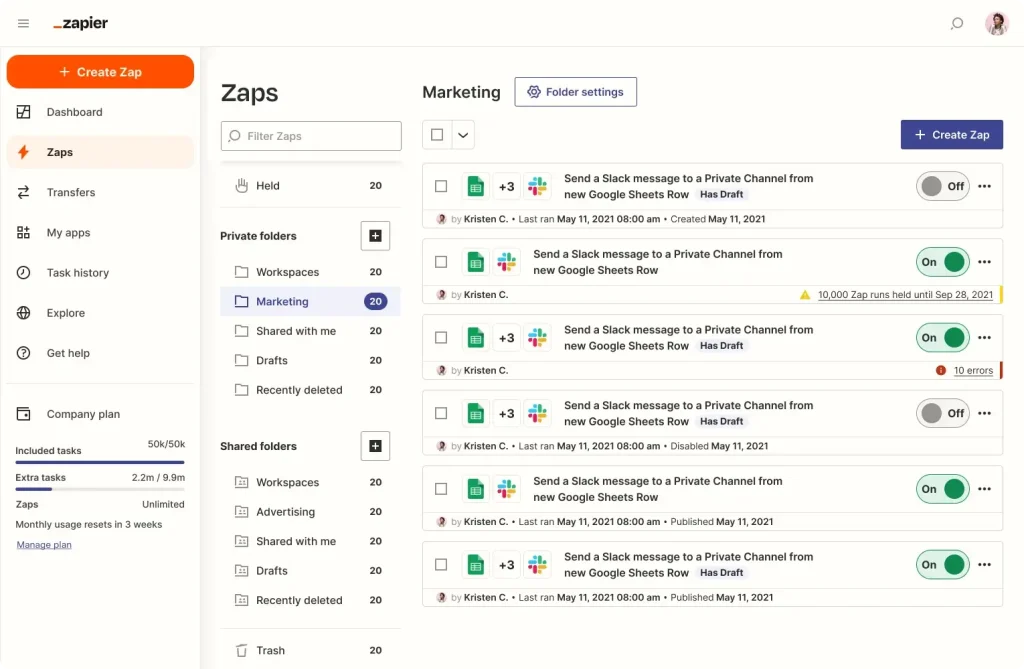
With Zapier, you cannot export your workflows in a portable format or host your own environment. Your entire automation infrastructure lives on Zapier’s servers, following their update schedules, their uptime and their terms. If Zapier changes pricing, deprecates a feature or experiences downtime, there is very little you can do about it.
Data privacy concerns
For businesses in regulated industries like healthcare, finance or legal, having sensitive data flow through third-party servers introduces compliance risks. Every workflow execution means your data touches Zapier’s infrastructure, which may not align with GDPR, HIPAA or even your own internal security policies.
When Should You Consider n8n Migration?
The pivot from Zapier to n8n is not right for every business at every stage. Understanding the tipping point will help businesses make a strategic decision rather than a reactive one. Here are few of the tipping points at your business, when you should consider n8n migration:
- Your monthly Zapier bill exceeds $300–500: At this threshold, the cost-benefit analysis starts favouring self-hosted or cloud-hosted n8n. You will be paying enough that investing in migration and hosting infrastructure will make more financial sense.
- You need custom integrations regularly: If you are building webhook handlers or API requests more than 2-3 times per month in Zapier, you will benefit from n8n’s flexible HTTP request nodes and custom code capabilities. What takes hours in Zapier’s limited interface can be accomplished in minutes with n8n’s JavaScript or Python function nodes.
- You are hitting workflow complexity limits: When your Zaps require multiple paths, nested conditions, loops or data transformations that feel hacky in Zapier, it is time to consider n8n. Complex automation logic becomes significantly cleaner and more maintainable in n8n’s visual workflow builder.
- Data sovereignty is a requirement: If your industry requires data to remain within specific geographic regions or never touch third-party servers, self-hosted n8n becomes not just preferable but mandatory. You maintain complete control over where your data flows and how it is processed.
- You are building automation as a product feature: If workflow automation is becoming part of your product offering to customers not just internal tooling, you will need the white-label capabilities and embedding options that only an open-source solution like n8n can provide.
- Your team has technical resources: n8n migration and maintenance require more technical sophistication than Zapier. If you have developers or technically skilled operations staff who can handle deployment, troubleshooting and occasional node customization, you will not only be able to maximize n8n’s value but also help them upskill on the technology.
The n8n Difference: Open, Scalable & Yours
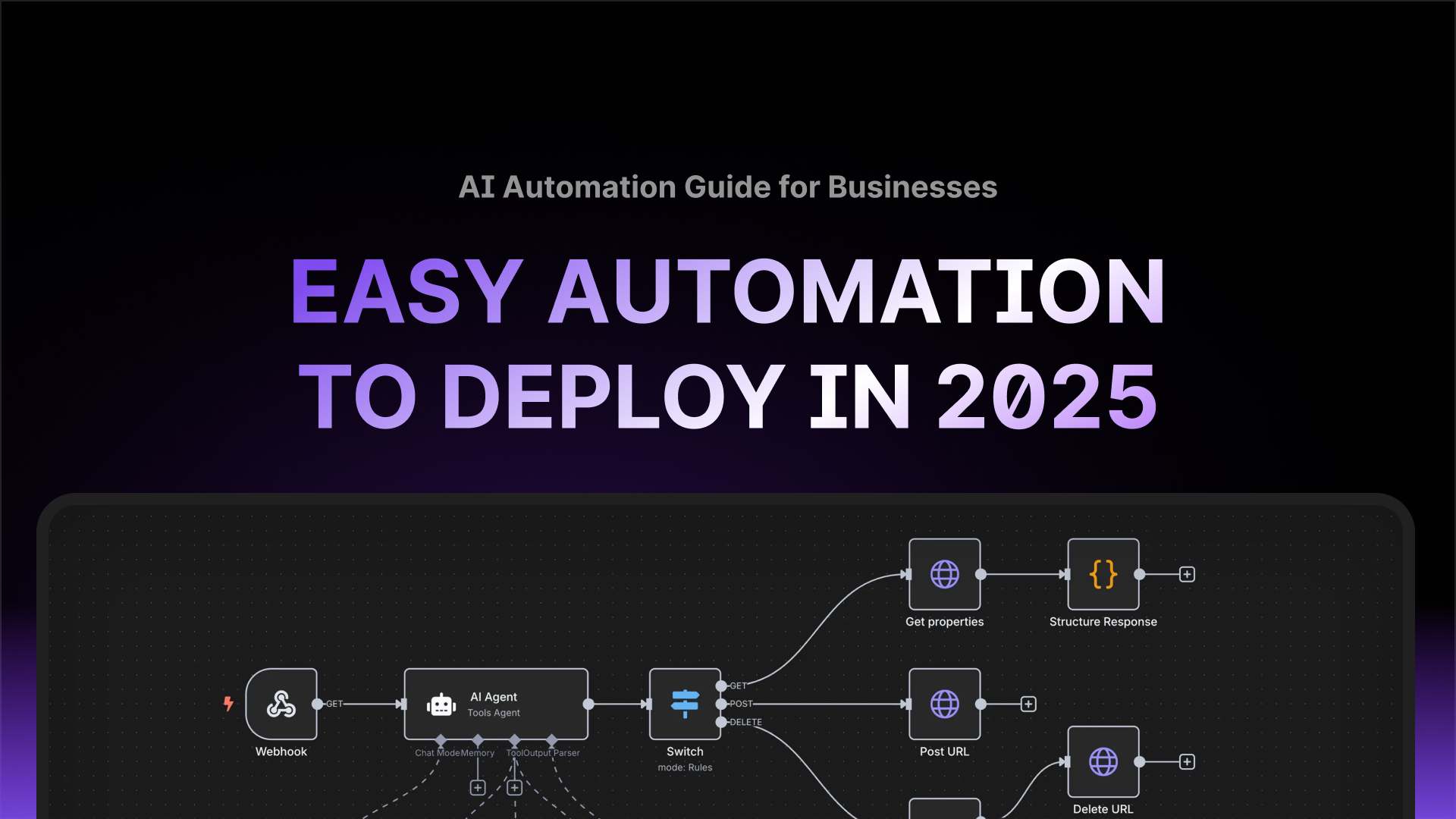
Unlike Zapier, n8n is open-source and can be self-hosted on your infrastructure or run in n8n’s managed cloud. This single architectural difference changes everything about how you approach automation. Here are other factors that make n8n stand out:
 Read alsoAutomations Your Organisation Can Deploy Today
- Freedom to host your data: n8n can be run on your own servers, your preferred cloud provider (AWS, Google Cloud, Azure, DigitalOcean) or even on-premises. By doing so, your workflow data never leaves your control. This matters highly for regulated industries and data-sensitive operations.
- Unlimited workflows without scaling costs: With self-hosted n8n, you pay for infrastructure, not per-task or per-workflow. Run 100 workflows or 10,000; your hosting costs remain relatively flat. Even n8n’s cloud offering has more predictable pricing than task-based billing.
- Custom code nodes: Do you need to parse complex JSON, apply custom business logic or integrate with an API that has no pre-built node? With n8n, you can write arbitrary code directly within your workflow as it includes JavaScript and Python function nodes. This eliminates the need for external middleware solutions or complex workarounds.
- Full transparency: Being open-source means you can inspect exactly how each node works, contribute improvements or adjust the project if needed. You will not be dependent on a vendor’s roadmap or subject to sudden feature deprecations risk.
- Advanced error handling: n8n provides sophisticated error workflows, retry logic and failure notifications that give you fine-grained control over how your automations handle exceptions. This is very critical for production-grade automation.
- Community-driven expansion: With over 400 native integrations and a thriving community, n8n’s node library grows faster than many closed platforms. Can you not find the node you need? Build it yourself or easily commission one from within the n8n community.
As Jan Oberhauser, founder of n8n, stated in an interview: ‘We built n8n so teams can automate without compromise. Open-source means flexibility, transparency and control; the way automation should be.’
The n8n Migration Roadmap: From Zapier to n8n
Successful n8n migration has to be methodical, not rushed. The transition is not about replicating every Zap line-by-line but it is about rethinking how automation serves your business and taking advantage of n8n’s superior capabilities.
What to expect when migrating
Moving from Zapier to n8n is a practical, step‑wise project rather than a single swap. Start with an audit of your Zaps, map each trigger and action, then set up an n8n environment you control. Rebuild workflows in n8n’s visual editor using HTTP, JavaScript or Python function nodes for the custom integrations that felt clunky in Zapier. Test each workflow end‑to‑end, validate data flow and error handling, then deploy and optimise. Expect to lean on technical resources for hosting, occasional node customisation and long‑term maintenance — that extra effort buys control, flexibility and data sovereignty.
Phase 1: Audit & Inventory
- Document every Zap: Create a spreadsheet listing all active Zaps, their triggers, actions and business purpose. Include metrics like execution frequency, failure rate and criticality to operations.
- Identify dependencies: Map out which Zaps depend on others, which share data sources and which are part of larger business processes. Understanding these connections prevents breaking critical workflows during migration.
- Categorise by complexity: Label workflows as simple (trigger + 1-2 actions), moderate (multiple steps, some conditional logic) or complex (loops, advanced filtering, multiple branches). This helps prioritise migration order.
- Quantify current costs: Calculate your actual monthly Zapier spend, including which premium apps drive costs. This becomes your baseline for ROI calculations.
- Assess technical requirements: Identify which Zaps use standard integrations versus custom webhooks or API calls. Custom integrations will need HTTP request nodes in n8n, which requires more technical setup.
Phase 2: Environment Setup
- Choose your hosting approach: Decide between self-hosted n8n (maximum control, requires infrastructure management) or n8n Cloud (managed service, easier maintenance). For most businesses migrating from Zapier, n8n Cloud offers the smoothest transition while still providing more flexibility than Zapier.
- Deploy n8n: If self-hosting, deploy n8n using Docker, npm or your preferred method. Configure proper database backend (PostgreSQL recommended for production), set up SSL certificates and ensure proper security measures. If using n8n Cloud, simply create your account and workspace.
- Set up credential management: n8n uses a centralised credential system where you store API keys, OAuth tokens and authentication details once, and reference them across workflows later. This is more secure and maintainable than Zapier’s per-Zap credential approach.
- Configure environment variables: Set up proper environment separation (development, staging, production) if needed. This allows safe testing of new workflows without risk to production systems.
Phase 3: Redesign & Build
- Start with simple workflows: Begin migrating low-risk, straightforward automations to build team familiarity with n8n’s interface and concepts. A simple “new email → create Notion entry” workflow is perfect for learning.
- Understand n8n’s node structure: Unlike Zapier’s linear step-by-step approach, n8n uses a node-based visual workflow where connections between nodes explicitly show data flow. Each node receives input from previous nodes, processes it and passes output to subsequent nodes. This visual model makes complex branching logic much clearer.
- Leverage templates: The n8n template library contains hundreds of pre-built workflows for common use cases. Rather than starting from scratch, adapt existing templates to your specific needs. This accelerates migration significantly.
- Build custom nodes for repeated logic: If you notice the same data transformation or API call pattern appearing across multiple workflows, create a reusable custom node or sub-workflow. This DRY (Don’t Repeat Yourself) approach reduces maintenance burden.
- Implement proper error handling: Unlike Zapier, where error handling is often an afterthought, design error workflows from the start. Use n8n’s error trigger nodes to catch failures, send notifications, log errors and implement retry logic. Production-grade automation requires production-grade error handling.
Example Migration:
Below is an example of migrating a common Zapier workflow into n8n:
Get the best ones in your inbox — no spam, unsubscribe any time.
Original Zapier workflow:
- Google Forms submission (trigger)
- Create Airtable record
- Send Slack notification
- Add to Mailchimp list
n8n equivalent workflow:
- Google Forms Trigger node (webhook-based)
- Set node to clean/transform form data
- Airtable node (create record operation)
- IF node to check if email is valid
- True branch: Mailchimp node (add subscriber)
- Slack node (send message to #submissions channel)
- Error Trigger node → Slack node (notify #errors channel if anything fails)
Note: Notice the n8n version includes data transformation, conditional logic and error handling that would require separate Zaps or be impossible in Zapier.

Phase 4: Testing & Validation
- Run parallel systems: Keep your critical Zapier workflows running while you test n8n equivalents. This safety net allows you to validate outputs without business disruption.
- Compare outputs: For data transformation workflows, run identical inputs through both systems and verify outputs match. For notification workflows, ensure messages reach the right channels with correct content.
- Load testing: If your workflows handle high volumes, test n8n under realistic load. Self-hosted instances can handle significantly more throughput than Zapier but configuration matters.
- Edge case testing: Identify scenarios where your Zapier workflows historically failed or behaved unexpectedly. Ensure your n8n implementations handle these cases gracefully.
Phase 5: Deploy & Optimize (Week 8+)
- Cutover in phases: Do not migrate everything at once. Move workflows in logical groups, starting with non-critical automations and progressing to mission-critical systems.
- Monitor closely: Watch execution logs, error rates and performance metrics closely in the first few weeks. n8n provides detailed execution data that helps identify issues quickly.
- Decommission Zapier workflows: Only turn off Zapier workflows after confirming n8n equivalents run successfully for at least 1-2 weeks. Keep Zapier account active (downgraded to free tier if possible) for another month as insurance.
- Expand capabilities: Now that you are finally free from Zapier’s constraints, build automations that were not previously possible; complex data pipelines, AI integrations, custom business logic and more.
Common n8n Migration Challenges
Every migration comes with friction. Here are typical hurdles you might endure during n8n migration from Zapier and how to address them:
- Challenge: Rebuilding Zaps into modular n8n workflows
Solution: Do not aim for one-to-one replication. Use n8n’s node-based architecture to create more logical, maintainable workflows. Break complex Zaps into smaller, reusable components. Use sub-workflows for repeated logic patterns.
- Challenge: Integrating tools without prebuilt nodes
Solution: n8n’s HTTP Request node is incredibly powerful. Most APIs can be integrated with standard HTTP requests and n8n’s interface makes this easier than Zapier’s webhook implementation. For complex integrations, write custom nodes using n8n’s node creation framework; this investment pays dividends across all workflows using that integration.
- Challenge: Team learning curve
Solution: n8n’s node-based interface is different from Zapier’s linear approach. Invest in training sessions, create internal documentation with your team’s common patterns and start with simple workflows before tackling complex automation. The n8n community forum and documentation are excellent resources.
- Challenge: Hosting and maintenance
Solution: If self-hosting feels overwhelming, start with n8n Cloud to eliminate infrastructure concerns. You will still gain most of n8n’s advantages; custom code, better pricing and workflow portability, without managing servers. Transition to self-hosted later if data sovereignty becomes critical as per your industry and clientele.
- Challenge: OAuth and authentication complexity
Solution: Some integrations are easier in Zapier due to their pre-configured OAuth flows. In n8n, you may need to register your own OAuth apps with services like Google, Microsoft or Salesforce. While this requires more initial setup, it gives you more control and is not dependent on n8n’s relationship with these providers.
Also Read: Zapier vs n8n for Australian Businesses
Why does n8n Migration Make Financial Sense?
Zapier’s pricing looks simple until it scales. At enterprise level, task-based billing becomes unpredictable and often unsustainable. Every workflow optimization that reduces steps saves money in Zapier; creating contrary incentives against building robust automation. In contrast, n8n’s cost model is about ownership. Even with higher upfront setup costs, companies can save over time by:
 Read alsoZapier vs N8N for Australian Businesses
- Reducing per-task billing: Self-hosted n8n eliminates task-based costs entirely. n8n Cloud has execution-based pricing but with much higher limits than Zapier before hitting paid tiers.
- Avoiding premium app fees: Zapier charges extra for premium app integrations. n8n on the other hand treats all integrations equally, no premium tax for using popular tools.
- Building reusable automation assets: Custom nodes and sub-workflows become organizational IP. Each reusable component amplifies value across all future workflows.
- Leveraging custom workflows instead of paid add-ons: Complex logic that would require Zapier’s expensive plans can be implemented in n8n’s function nodes at no additional cost.
For medium-sized Australian businesses running 50,000+ monthly tasks, this typically translates to 50-70% cost savings within the first year of n8n migration, even accounting for migration costs and hosting expenses. Beyond direct cost savings, n8n migration provides strategic advantages; faster iteration on automation (no waiting for vendor roadmaps), better debugging and monitoring and the ability to embed automation into your products or services. With FUZN, we understand your workflow, and create the right solution for you. We do not just build for you, we build with you – together.
The Future of Automation Is Open
The world is moving toward open automation ecosystems. Businesses want autonomy, data control and extensibility; all core principles of n8n and the broader open-source movement. This is how it should be too. Whether you are a startup automating lead qualification, an enterprise syncing ERP data across divisions or a government agency ensuring compliance with data residency requirements, owning your automation stack is no longer optional. It is your new competitive edge.
n8n migration represents more than switching tools. It is a strategic decision to build automation equity rather than renting it. As your business grows, your automation infrastructure should be an asset that appreciates, not a subscription that inflates.
The n8n migration journey requires planning, technical investment and a willingness to think beyond plug-and-play simplicity. But for companies serious about scaling their operations, reducing costs and maintaining control over their technology stack, n8n migration is not just a good option, it is the logical next step in their automation maturity.
Get in touch with us today to kickoff your organisational automation