Client work · CRM and operations
BPG Jobs Queue
After the main CRM build, BPG’s commercial team needed its own jobs queue. We added a jobs module to Zoho CRM with a quote board, a delivery board and an operations dashboard. Then we chose which steps not to automate.
2
boards: quote and delivery
3
ways a job can start
1
operations dashboard
Client
BPG Solutions
Sector
Commercial building services
Services
CRM and workflow
Platform
Zoho CRM
The brief
Commercial jobs do not follow a sales funnel. Some start with a quote, some arrive as a work order and must start this week. The team needed one queue that shows every job, and rules that help without getting in the way.
What we delivered
01 · Quote board
Every quote, by stage, on one board
Quoted jobs move from request to inspection, quote, approval and work authorised. Each card shows the job number, the property, the date, the value and the reference numbers, so the team can act without opening the record.
02 · Delivery board
From unassigned to done, in plain sight
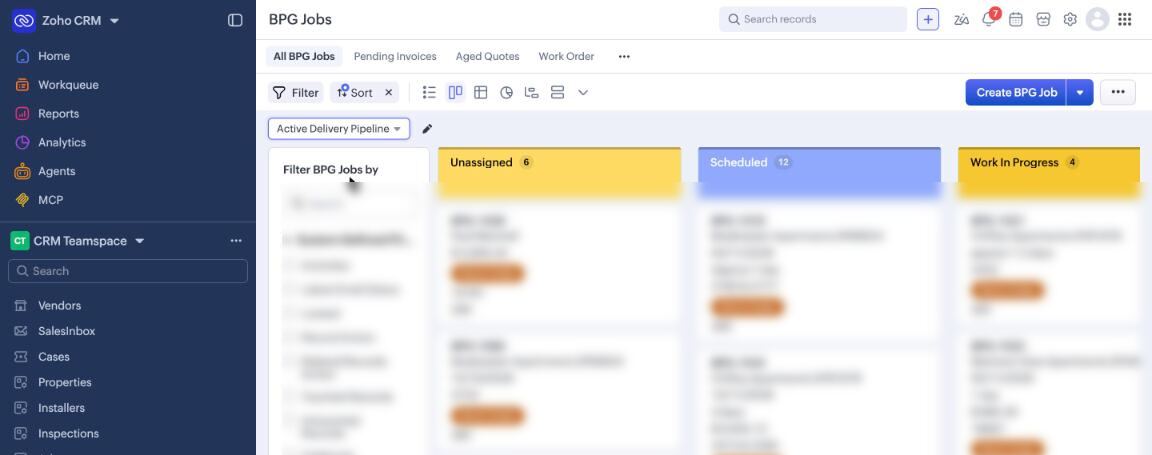
Authorised work and work orders land on the delivery board. The team sees what is unassigned, what is scheduled and what is in progress. Scheduling a job asks for the installation date before the job moves on.
Delivery board. Job details blurred.
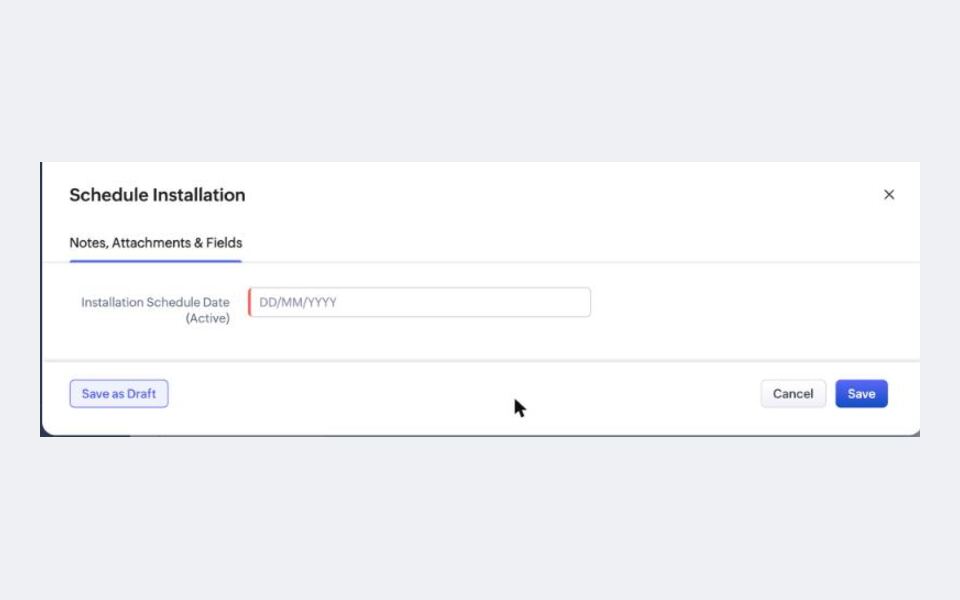
The schedule step asks for the date.
03 · When not to automate
Some steps stay with a person
We first set strict rules on the jobs. In daily use, they slowed the team down on urgent work orders. So we turned those rules off and kept the decisions that need judgement with the operations lead: who gets the job, when a quote is approved and whether an invoice value is right. The CRM does the tracking and the views.
04 · In the CRM
The views behind the queue
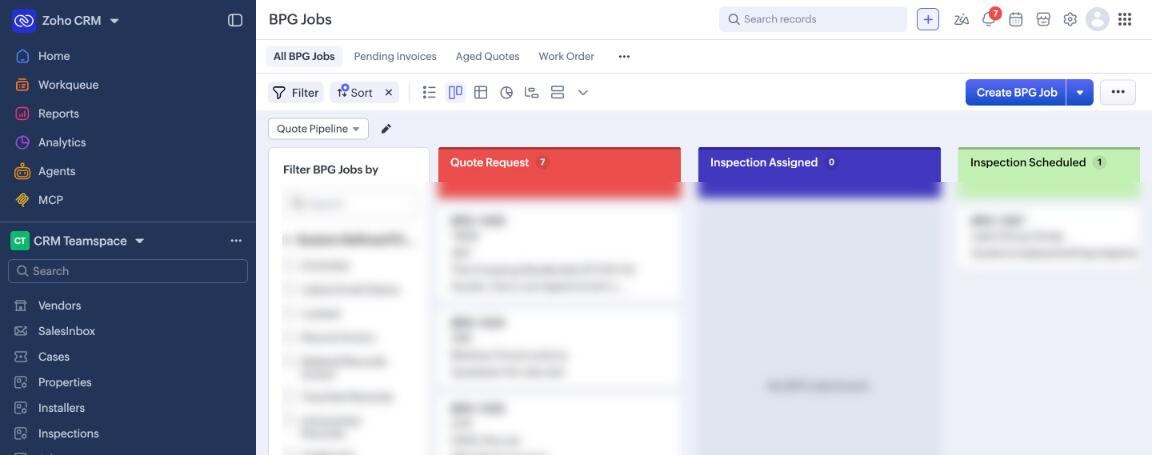
Quote board. Job details blurred.
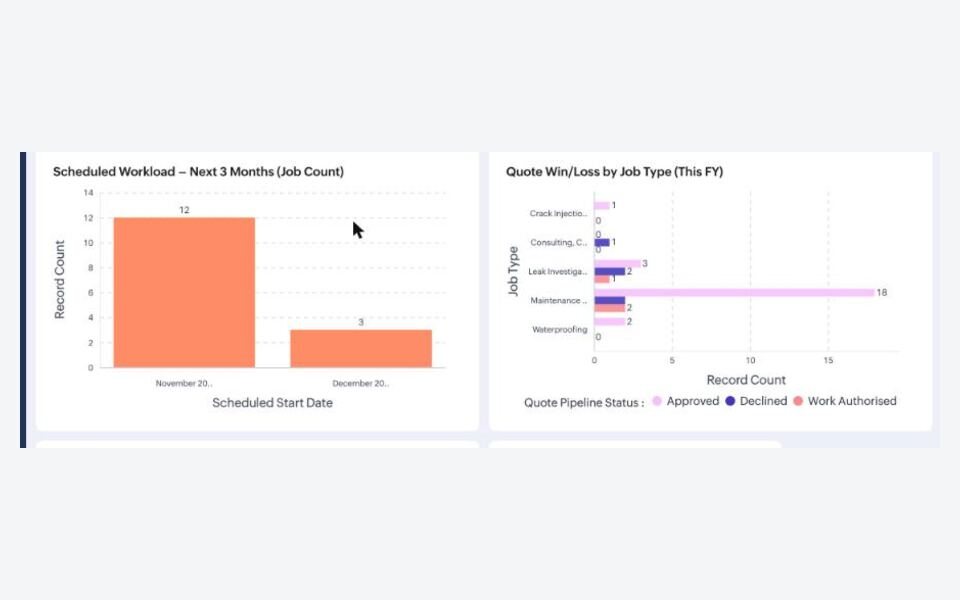
Workload and win and loss by job type.
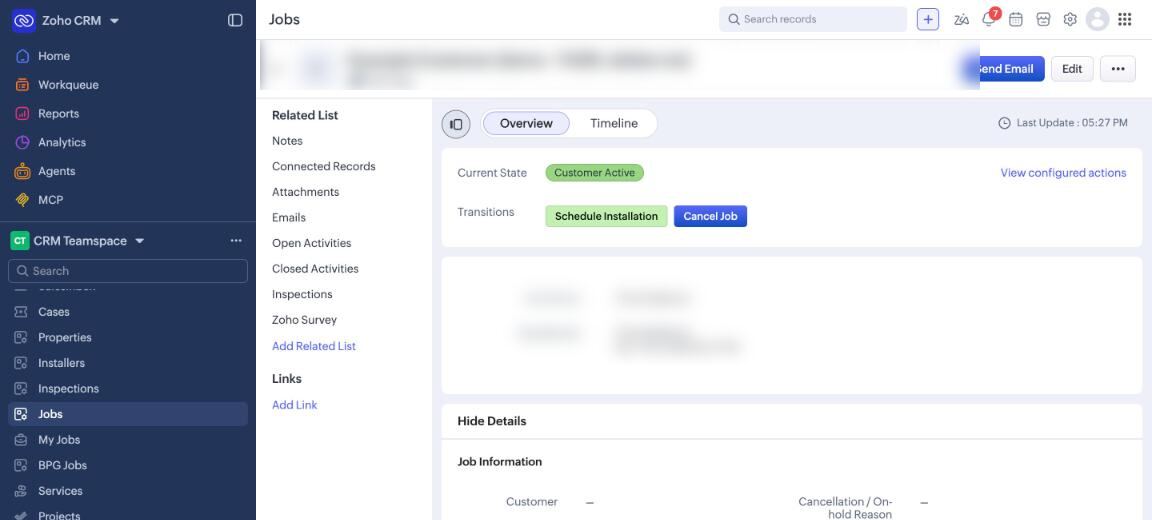
Each job shows the next allowed steps.
Results
What changed
2
boards: quote and delivery
3
ways a job can start
1
operations dashboard
Daily
use by the operations team
Automate the tracking. Leave the judgement with the people who do the work.
What we learned on this build
Next project
Sydco
Strategy, brand and store concept
Work with us
Need a jobs queue that fits your team?
CRM, boards and dashboards, built around how the work really runs.
Talk about your operations